Site Members & Gated Pages
Site Members let you put pages of your site behind a login wall and manage your own members — without writing any authentication code. It's the SpiderPublish answer to Softr's Users feature: gated member pages, groups, record-level restrictions, and single sign-on, all from one place.
What you can do
Gate any page so only logged-in members (or members of a specific group) can see it.
Manage your own members — invite them by email, group them, and remove them.
Restrict the data a gated page shows, per group, down to the record level.
Offer single sign-on with Google, or any OpenID Connect provider.
Your members are entirely yours. They live in an isolated store that is separate from your SpiderPublish dashboard account, and a member of one of your sites never gains access to another site.
The three access levels
Every page has a Visibility setting in the page editor with three levels:
Visibility | Who can see the page |
|---|---|
Public (default) | Everyone. The page is served exactly as before — gating adds no overhead. |
Logged in | Any signed-in member of this site. Visitors who aren't signed in are sent to your login page. |
Group restricted | Only members who belong to one of the groups you choose for the page. |
New pages are Public by default, so turning on members never changes a page you haven't explicitly gated.
How a visitor signs in
You add a login form to a page of your site using the Authentication component (from the component marketplace). When a visitor signs in, they get a secure session on your own domain, and the gated pages open up for them. Because the session lives on your domain, the login form must be on the same site as the pages it unlocks — SpiderPublish wires this up for you automatically when you drop the Authentication component onto a page of your site.
Turning it on
Open the page you want to protect and set its Visibility to Logged in or Group restricted.
Add an Authentication component to a page (for example a
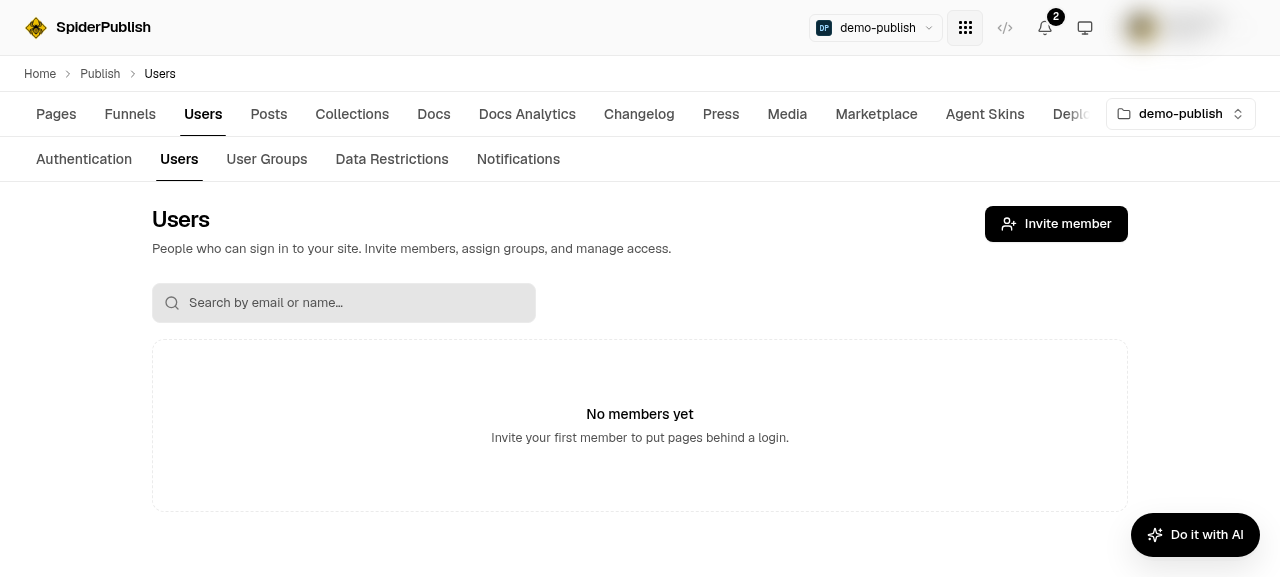
/loginpage) so visitors have somewhere to sign in.Invite your first members from Content → Users (see Managing Members & Groups).
Publish your site so the changes reach the edge.
That's it — your gated pages now redirect anonymous visitors to your login page and open for signed-in members.
You invite and manage those members from Content → Users:
Next steps
Managing Members & Groups — invite members, build groups, and set Data Restrictions.
Single Sign-On (SSO) — let members sign in with Google, or your company identity provider.